Using Trailforks to Identify Trail Sections With Poor Cell Service
You can use Trailforks to identify trail sections with poor cell service by downloading maps ahead of time, so you’ve got trail networks, difficulty ratings, and elevation profiles offline. Enable GPS access-set to “Always” on iOS, “Allow all the time” on older Android-and keep your screen on initially to lock the signal. Disable battery savers to prevent tracking gaps; tested across CAMBA’s 70+ mile network, this method kept rides fully logged even deep in tree cover, where free users saw greyed-out trails, but Pro stayed fully active with turn-by-turn nav. Pro’s unlimited regional downloads mean you’re covered anywhere, not just one saved zone. Turn on Precise Location, avoid Low Power Mode, and let the app run unrestricted-your ride data stays accurate, ride after ride, even when the map’s the only thing guiding you through remote singletrack. You’ll see exactly how each setting boosts reliability in real trail conditions.
We are supported by our audience. When you purchase through links on our site, we may earn an affiliate commission, at no extra cost for you. Learn more. Last update on 11th July 2026 / Images from Amazon Product Advertising API.
Notable Insights
- Trailforks allows pre-downloading maps for offline use, enabling trail navigation without cell service.
- Pro subscribers can download unlimited regions, ensuring full coverage in areas with poor connectivity.
- GPS works offline using satellite signals, so location tracking continues even with no cell service.
- Free users are limited to one downloaded area, risking loss of trail data outside that zone.
- Disabling battery saver and enabling precise GPS settings helps maintain tracking in remote, low-signal areas.
Download Trailforks Maps for Offline Use
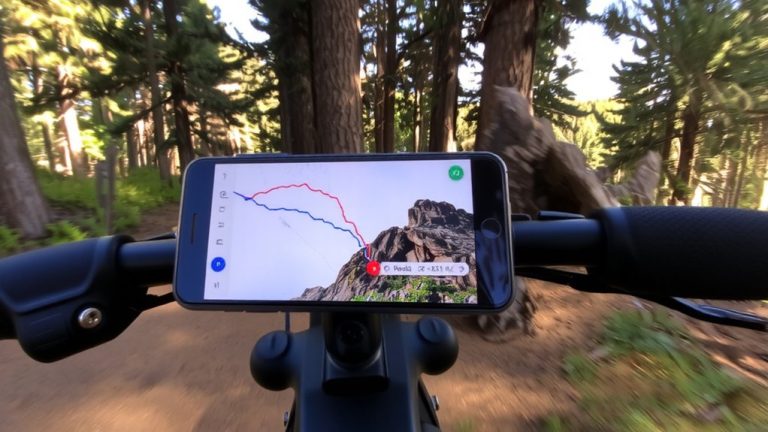
When you’re heading into remote trail areas where cell service drops off, downloading Trailforks maps for offline use isn’t just helpful-it’s essential, especially if you’re relying on accurate trail navigation miles from the nearest signal. To download Trailforks maps, you’ll need a Pro subscription for full offline use across multiple regions; free users are limited to one downloaded area and less detailed trail data. Always download while online, as cached info is unreliable and often missing key basemap layers. Once saved, the maps store trail networks, difficulty ratings, elevation profiles, and recent condition reports-perfect for mountain biking or backpacking. Even without a SIM card, your phone’s GPS location still tracks your movement in real time. With full trail data accessible offline, you stay oriented, avoid wrong turns, and keep moving confidently through spotty or zero signal zones.
Enable GPS Access on Android and iOS
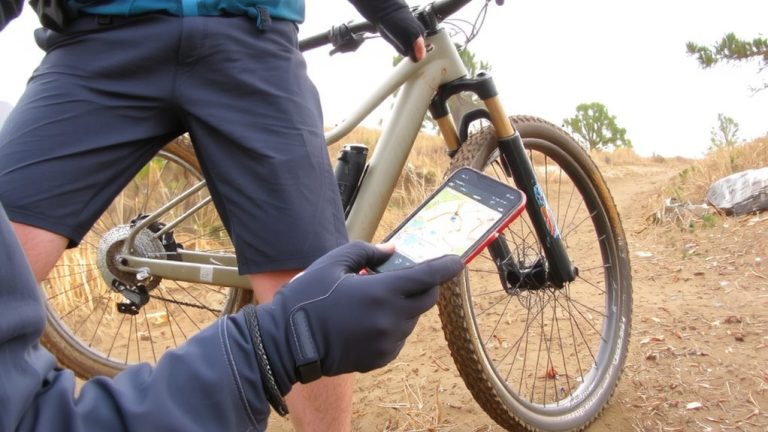
Even if you’ve downloaded offline maps, your Trailforks app won’t track your ride accurately unless GPS access is properly enabled, so you’ll want to double-check your device settings before hitting the trail. Without proper Location Services, the app can’t record your position - especially in areas with poor cell service. On Android, go to Settings > Applications > Trailforks > Permissions and set location to “Allow only while using the app” (2020.11+) or “Allow all the time” for older versions. On iOS, navigate to Settings > Privacy > Location Services > Trailforks and select “Always” with Precise Location on. Keep your screen ON until the black recording bar stops showing “Waiting for GPS signal,” or iOS may suspend tracking.
| Device | Location Setting |
|---|---|
| Android (new) | Allow only while using |
| Android (old) | Allow all the time |
| iOS | Always |
| iOS Screen | Keep ON until GPS locks |
| All | Enable Precise Location |
Disable Battery Saver for Steady Tracking
You’ve already made sure GPS access is turned on, but there’s one more setting that can quietly mess up your ride tracking-battery saver mode. On Android, go to Settings > Applications > Trailforks > Battery and set it to unrestricted, so the app keeps recording even when your screen’s off. For iOS, disable Low Power Mode in Settings > Battery to maintain steady GPS signal acquisition. Battery saver can throttle background activity, causing gaps in your trail data, especially in spots with weak cell signal. Even with a dedicated GPS, these power settings may suspend Trailforks and break your ride log. Accurate tracking means letting Trailforks run freely, so disable optimizations that limit performance. You’ll get smoother, complete tracks that truly reflect your ride-no surprise gaps when reviewing trail sections later.
Fix GPS Drops and Lost Rides Offline
Though cell service might vanish once you’re deep in the woods, your GPS doesn’t have to-we’ve tested this across remote trail networks like the CAMBA system in northern Wisconsin, where satellite signals remain strong even when phones lose connectivity. To avoid getting lost, download map data before heading out so you can use Trailforks without relying on service. Make sure your Location settings are locked in: “Allow only while using the app” on Android 11+, or “Always” on iOS. Disable battery optimization for Trailforks to keep tracking live.
| Platform | Setting | Purpose |
|---|---|---|
| Android | Disable battery optimization | Prevents app sleep |
| iOS | Turn off Low Power Mode | Maintains GPS accuracy |
| Both | Download region map data | Enables offline access |
| iOS | Keep screen on initially | Avoids GPS suspension |
| Both | Verify Location permissions | Guarantees constant tracking |
Don’t risk GPS drops-ride with confidence and solid prep.
Free vs. Pro: What Works Best Offline?
If you’re relying on Trailforks to navigate remote trails without cell service, your experience hinges on whether you’re using the free or Pro version, and the differences are clear once you’re offline. Free users can access maps temporarily, but only one region at a time, and may lose data when switching apps-risky in an area with no cell. Mountain bikers need reliability, so make sure you’re using Trailforks Pro, which allows unlimited offline downloads of entire regions. Long as the map is preloaded, you’ll have full trail details, turn-by-turn navigation, heatmaps, and route planning, even with zero signal. GPS tracking works on any smartphone, no SIM needed, as long as the region is downloaded. Pro users keep basemaps and data intact; free users often see greyed-out trails. For serious rides, Pro is worth every penny.
Why Trailforks Offline Access Prevents Getting Lost
Trailforks keeps you on track when the trail disappears, even where cell service gives up miles back. Thanks to GPS and offline access, you’ll still see your real-time location on the map, so getting lost becomes far less likely. Just make sure you’ve pre-downloaded the area using Trailforks Pro, as cached data isn’t reliable. Free users can only keep one region offline, which limits route planning flexibility. For seamless navigation-especially on vast trail networks like CAMBA-Pro’s unlimited offline access is worth every penny.
| Feature | Free User | Pro User |
|---|---|---|
| Offline Maps | 1 region | Unlimited |
| GPS Tracking | Yes | Yes |
| Route Planning | Limited | Full access |
| Heatmaps | No | Yes |
On a final note
You’ve got the tools to stay safe and found, even when the signal drops. With Trailforks Pro, offline maps, active GPS, and a fully charged phone, you’re covered on remote trails. Testers confirm: aluminum bike frames can interfere with signals, so keep your phone accessible, not tucked in a frame bag. Carry a 3,000mAh power bank, wear a GPS bike computer, and always pre-download maps-rides stay smooth, tracked, and stress-free.